
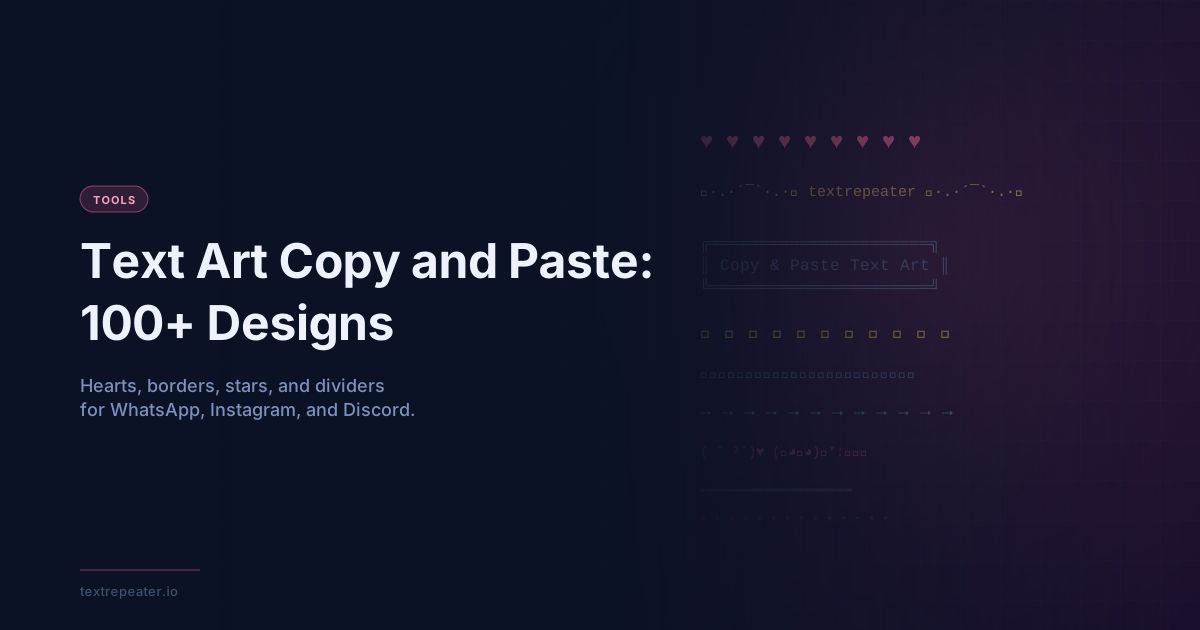
Text Art Copy and Paste: 100+ Designs for WhatsApp & Instagram
Browse 100+ text art designs to copy and paste. Hearts, borders, stars, and dividers for WhatsApp messages, Instagram bios, and Discord.
Text art — decorative designs made entirely from Unicode characters and symbols — lets you add visual flair to messages, bios, and profiles without using images. This guide covers 100+ text art designs you can copy and paste right now, along with tips for using them on WhatsApp, Instagram, and Discord.
What Is Text Art?
Text art is any visual design created using typed characters rather than image files. It ranges from simple emoji combinations to elaborate ASCII-style borders built from box-drawing characters. Because text art is plain text, it works anywhere you can type — no image upload required.
There are two main types of text art: single-line designs (hearts, stars, dividers) that fit inside a message or bio, and multi-line designs (borders, banners) that create framed blocks of text.
How Text Art Works
Text art relies on Unicode — the global character encoding standard that contains over 140,000 characters. Beyond the letters and numbers you type every day, Unicode includes box-drawing characters (╔ ═ ╗), geometric shapes (★ ✦ ◆), and countless symbols (♥ ✮ ✿) that most keyboards never show you. By combining these characters, you can create text art that displays consistently across devices because every device that supports Unicode renders the same character set.
Heart Text Art
Hearts are the most popular category of text art. Copy any of these designs directly:
❤️❤️❤️❤️❤️♥‿♥(づ。◕‿‿◕。)づ˚ʚ♡ɞ˚💕 I love you 💕❣️ · ❣️ · ❣️( ˘ ³˘)♥♡ ♡ ♡ ♡ ♡
Heart text art is a natural fit for Valentine's Day messages, love notes on WhatsApp, or decorating an Instagram bio.
Star Text Art
Star text art works well for celebrating achievements, rating content, or adding sparkle to any message:
★★★★★✦ ✧ ✦ ✧ ✦⭐ You're a star ⭐✮✮✮✮✮☆ ★ ☆ ★ ☆✨✨✨✨✨⋆。°✩
Mix filled (★) and outlined (☆) stars to create rating-style text art that looks like a review or a trophy display.
Border Text Art
Border text art uses box-drawing characters to frame a block of text. These multi-line designs are popular for Discord messages and Instagram captions.
Double-line border:
╔══════════════╗
║  Your text   ║
╚══════════════╝
Single-line border:
┌──────────────┐
│  Your text   │
└──────────────┘
Rounded-style border:
╭──────────────╮
│  Your text   │
╰──────────────╯
To use border text art, replace "Your text" with your own message and adjust the width by adding or removing ═ or ─ characters on the top and bottom lines.
Divider Text Art
Dividers are single-line text art designs used to separate sections in a bio or a long Discord message:
━━━━━━━━━━━━━━═══════════════• • • • • • •· · · · · · ·~·~·~·~·~·~·~✦ ─────────── ✦⋯⋯⋯⋯⋯⋯⋯⋯⋯⋯⋯▬▬▬▬▬▬▬▬▬▬▬▬▬
Divider text art helps organize Instagram bios with multiple sections (links, interests, contact info) into a readable layout.
How to Use Text Art on WhatsApp
WhatsApp supports Unicode, so all text art designs paste and send without issues. Tips for WhatsApp:
- Copy your chosen text art design from this page (long-press to select and copy on mobile).
- Open a WhatsApp chat and tap the message input.
- Long-press in the input field and tap Paste.
- Send as usual.
For WhatsApp Status, keep text art to a single line — the status display trims long multi-line content. Heart and star designs work especially well in WhatsApp Status updates.
How to Use Text Art for Instagram Bio
Instagram bios support Unicode text art natively. Your bio allows up to 150 characters, so stick to compact designs:
- On desktop, write your bio draft in a notes app or text editor.
- Copy your chosen text art dividers and symbols into the draft.
- Copy the entire bio draft and paste it into the Instagram bio field (Settings → Edit Profile).
Divider text art lines (like ✦ ─────────── ✦) are especially popular for structuring Instagram bios into sections.
How to Use Text Art on Discord
Discord renders Unicode characters in usernames, status messages, and chat. Text art borders work well in Discord because the platform uses a monospace-friendly message layout.
- For Discord usernames: use single-character text art symbols (✦, ★, ♡) around your name.
- For Discord messages: paste full border or divider text art designs — Discord preserves line breaks in messages.
- For Discord server descriptions: multi-line text art banners make server rules and announcements more readable.
Note: Discord's username character limit applies to display names, so long border designs are better suited to messages than usernames.
FAQ
Can I use text art on TikTok? Yes. TikTok bios and captions support Unicode, so all the text art designs on this page work on TikTok. Single-line heart and star designs are the most popular for TikTok bios.
Does text art look the same on every device? Most Unicode text art characters render consistently across Android, iOS, Windows, and macOS. However, emoji rendering varies by platform — an emoji may look slightly different on iPhone versus Android. Box-drawing characters (borders, dividers) are highly consistent across platforms.
Is text art the same as ASCII art? Not exactly. Traditional ASCII art uses only the 128 characters of the original ASCII standard. Modern text art uses the full Unicode character set, which includes box-drawing characters, mathematical symbols, and thousands of additional glyphs. This makes Unicode text art much more expressive than classic ASCII art.
Can I generate custom text art? Yes. Use the Text Art Generator on TextRepeater.io to create custom text art designs, combine characters, and copy your creations instantly.
Conclusion
Text art transforms plain text into eye-catching designs using nothing but Unicode characters. Whether you want heart symbols for a WhatsApp message, a star rating for a Discord post, or a clean divider for your Instagram bio, there is a text art design for every need. Visit the Text Art Generator on TextRepeater.io to build and copy custom text art in seconds.
More Posts
Fancy Text Generator: 250+ Cool Unicode Fonts to Copy and Paste
Generate fancy text in 250+ Unicode styles, including bold, italic, gothic, bubble, symbols, and decorative effects for social bios and captions.

How to Repeat Text Online: The Complete Guide
Learn how to repeat text online using a free text repeater tool. Step-by-step guide covering all output formats, use cases, and tips.
Word Repeater: How to Repeat Words and Phrases Online
Complete guide to using a word repeater to repeat any word or phrase online. Free tool for language practice, creative writing, and content generation.